
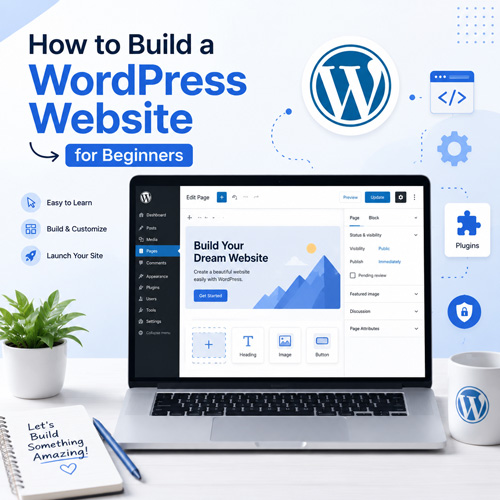
Creating a website used to require advanced programming skills and significant time. Today, platforms like WordPress have made it possible for beginners to build professional websites without needing extensive coding knowledge. WordPress is the most popular content management system (CMS) in the world and powers more than 40% of all websites on the internet.
In this guide, you will learn the basic steps to design and launch a WordPress website from scratch, even if you have never built a website before.
What Is WordPress?
WordPress is an open‑source content management system that allows users to create, edit, and manage websites easily. It provides a user‑friendly dashboard where you can publish content, upload images, customize design, and install additional features through plugins.
There are two versions of WordPress:
- WordPress.com – a hosted platform where the hosting is managed for you.
- WordPress.org – the self‑hosted version that gives you full control over your website.
Most developers and businesses prefer WordPress.org because it offers greater flexibility and customization.
Why Choose WordPress?
WordPress has become the leading website platform for several reasons:
- Easy to use for beginners
- Thousands of themes and plugins
- Strong SEO capabilities
- Highly customizable
- Large community and support resources
- Suitable for blogs, business sites, portfolios, and online stores
These advantages make WordPress an excellent choice for anyone who wants to build a professional website.
Step 1: Choose a Domain Name
The first step in creating a website is choosing a domain name. A domain name is the address people use to access your website, such as:
When choosing a domain name, consider the following tips:
- Keep it short and easy to remember
- Avoid complicated spelling
- Use keywords related to your business or topic
- Choose a trusted domain extension like .com, .net, or .org
A good domain name helps build brand identity and makes your website easier to find.
Step 2: Buy Web Hosting
Web hosting is the service that stores your website files and makes them accessible on the internet.
When selecting a hosting provider, look for features such as:
- Good performance and uptime
- Security features
- WordPress compatibility
- Customer support
- Easy WordPress installation
Many hosting companies offer one‑click WordPress installation, which makes the setup process very simple for beginners.
Step 3: Install WordPress
After purchasing hosting, you need to install WordPress. Most hosting providers include an automatic installer that allows you to install WordPress in just a few minutes.
The basic process usually includes:
- Logging into your hosting control panel
- Finding the WordPress installer
- Choosing your domain
- Setting an admin username and password
Once installation is complete, you can access the WordPress dashboard by visiting:
From there, you can start building your website.
Step 4: Choose and Install a Theme
A WordPress theme controls the design and layout of your website. Themes determine how your website looks to visitors.
WordPress offers thousands of free and premium themes. When selecting a theme, consider:
- Responsive design (mobile friendly)
- Fast loading speed
- Customization options
- Compatibility with popular plugins
You can install a theme directly from the WordPress dashboard:
Appearance → Themes → Add New
After activating a theme, you can customize colors, typography, layout, and other design elements.
Step 5: Install Essential Plugins
Plugins extend the functionality of your WordPress website. They allow you to add new features without writing code.
Some essential plugins for beginners include:
- Yoast SEO or Rank Math – improves search engine optimization
- Elementor – drag‑and‑drop page builder
- WPForms – create contact forms
- Wordfence Security – improves website security
- WP Super Cache or LiteSpeed Cache – improves website speed
Installing too many plugins can slow down your site, so it is best to use only necessary and trusted plugins.
Step 6: Create Important Pages
Every website should include a few essential pages that help visitors understand your business or content.
Common pages include:
- Home Page – introduction to your website
- About Page – information about you or your company
- Services or Products Page – details of what you offer
- Blog Page – articles and updates
- Contact Page – ways for visitors to reach you
To create a page in WordPress, go to:
Pages → Add New
Then add your content and publish it.
Step 7: Create Your First Blog Post
WordPress originally started as a blogging platform, so publishing articles is very simple.
To create a blog post:
- Go to Posts → Add New
- Write a title and content
- Add images or media
- Choose categories and tags
- Click Publish
Publishing high‑quality content regularly can help attract visitors and improve your website’s search engine ranking.
Step 8: Optimize Your Website for SEO
Search engine optimization (SEO) helps your website appear in search results on platforms like Google.
Basic SEO practices include:
- Writing useful and original content
- Using relevant keywords
- Optimizing titles and meta descriptions
- Improving page loading speed
- Making your site mobile‑friendly
SEO plugins like Yoast SEO or Rank Math make it easier to optimize each page and post.
Step 9: Improve Website Security
Website security is important to protect your data and your visitors.
Here are some simple security practices:
- Keep WordPress, themes, and plugins updated
- Use strong passwords
- Install a security plugin
- Enable SSL (HTTPS)
- Backup your website regularly
These steps help reduce the risk of hacking and data loss.
Step 10: Launch and Maintain Your Website
After setting up your website, the final step is launching it and maintaining it over time.
Website maintenance includes:
- Updating plugins and themes
- Monitoring website performance
- Creating backups
- Adding new content regularly
- Checking security
Regular maintenance ensures your website stays fast, secure, and up to date.
Conclusion
WordPress has made website creation accessible to everyone, including beginners with little technical experience. With the right domain name, reliable hosting, a good theme, and a few essential plugins, you can build a fully functional website in a short amount of time.
Whether you want to start a blog, promote your business, or create an online portfolio, WordPress provides the tools and flexibility needed to build a professional website.
By following the steps in this guide and continuously improving your content and design, you can create a successful website that grows over time.